
Screenshots


App details
- Updated
- Aug 16, 2023
- Language
- English
- Developer
- Snapchat
- Category
- Mobile
SoftPas in:
This product is also available in the following languages:
About Snap Camera
Download Snap Camera – Snapchat filters, video calls, stream, YouTube, Twitch, PC camera, fun filters, creative video, online interaction, filter app
Overview
Snap Camera is a dynamic tool designed to bring the playful and expressive world of Snapchat filters directly to your PC. Its primary purpose is to allow users to apply Snapchat’s signature augmented reality (AR) filters to their video feed in real time during video calls, live streams, or video recordings. This functionality makes it especially valuable for content creators, streamers, and individuals seeking to enhance their online presence with humor, creativity, and visual flair. The app solves the common limitation of Snapchat’s mobile-only filter access by extending these features to desktop environments, enabling seamless integration with platforms like Zoom, Skype, Twitch, and YouTube. Target users include social media content creators, online educators, gamers, and anyone who engages in frequent video communication. By bridging the gap between mobile AR innovation and desktop usability, Snap Camera expands the creative possibilities of video interaction. Developed by Snap Inc., the company behind Snapchat, the app benefits from a strong foundation in AR technology and user experience design. Real-world use cases range from adding whimsical effects during family video calls to enhancing live streams with trending filters. In the broader app ecosystem, Snap Camera stands out as a niche yet impactful utility that enriches digital expression beyond the confines of mobile devices.Key Features & Functionality
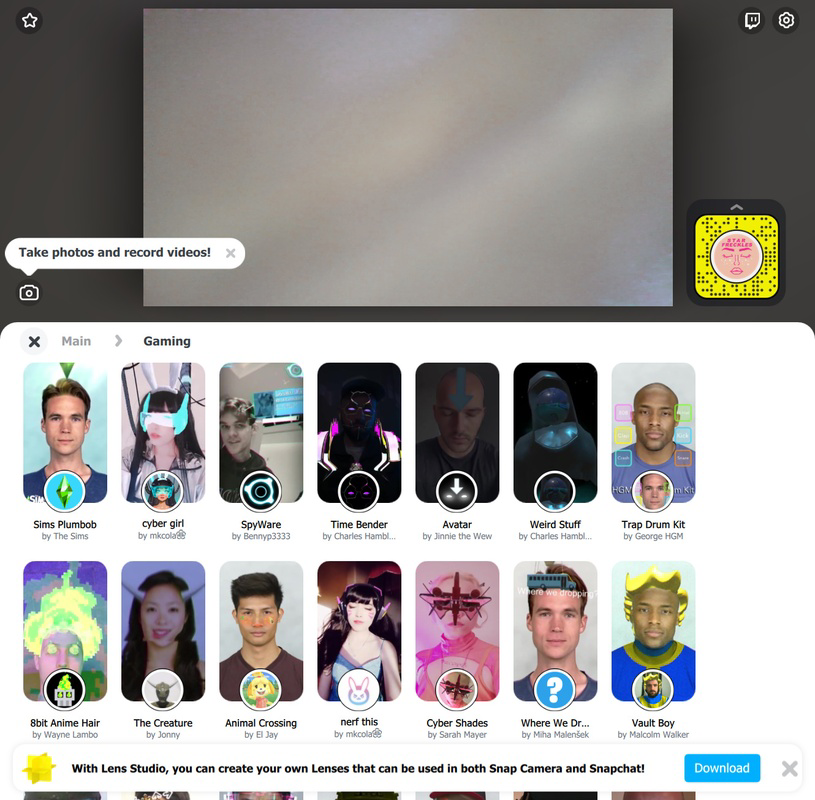
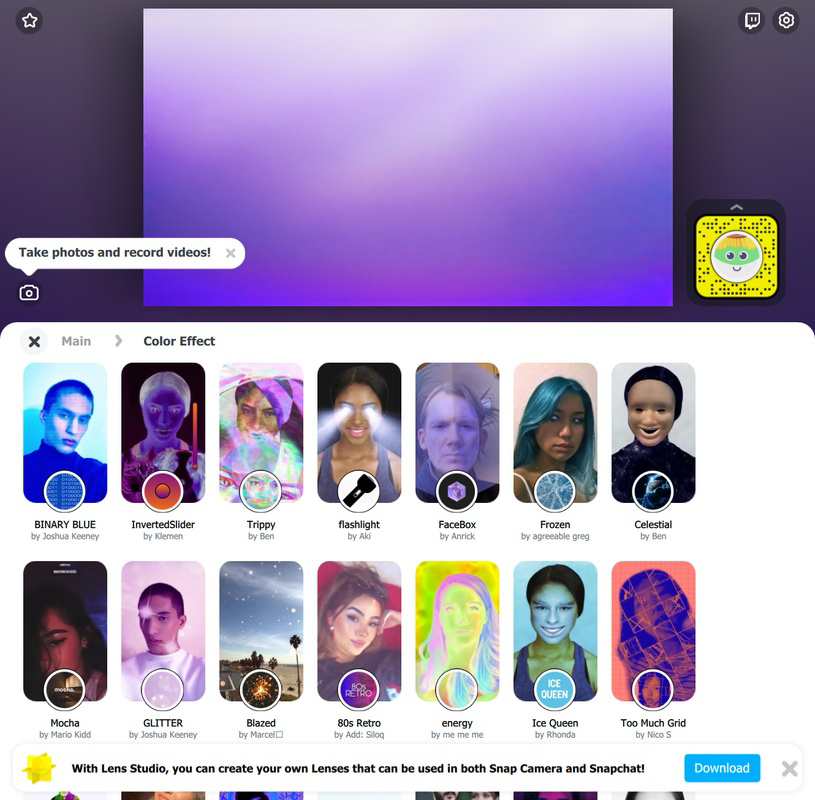
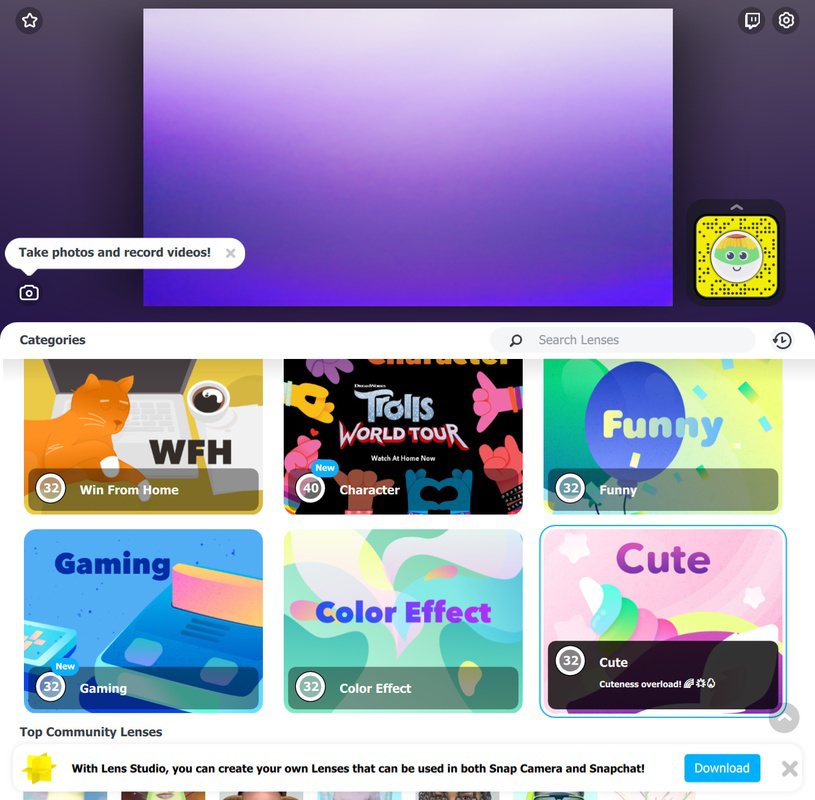
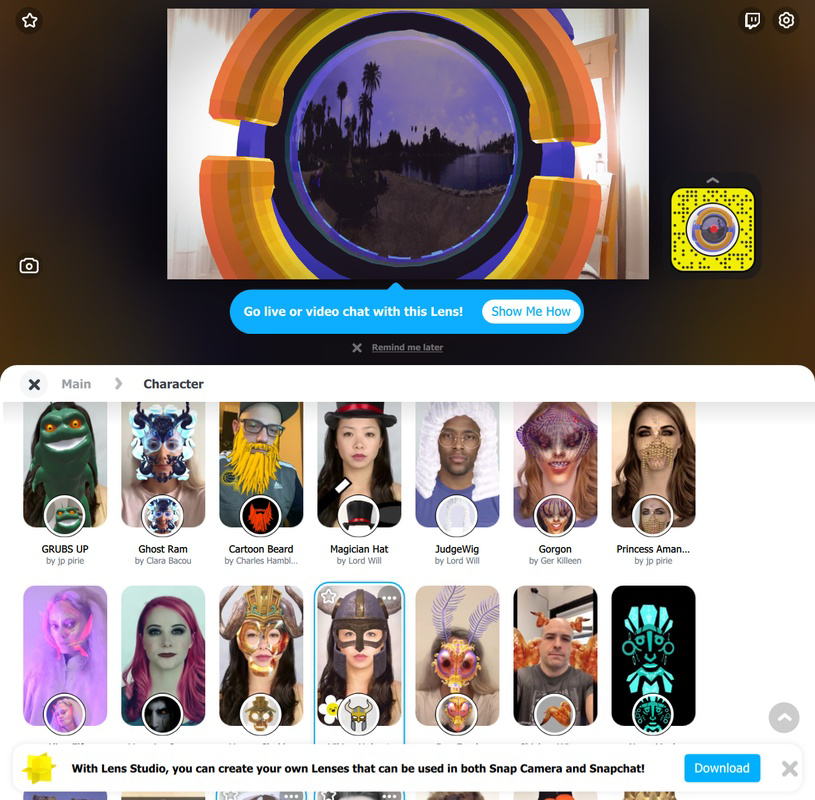
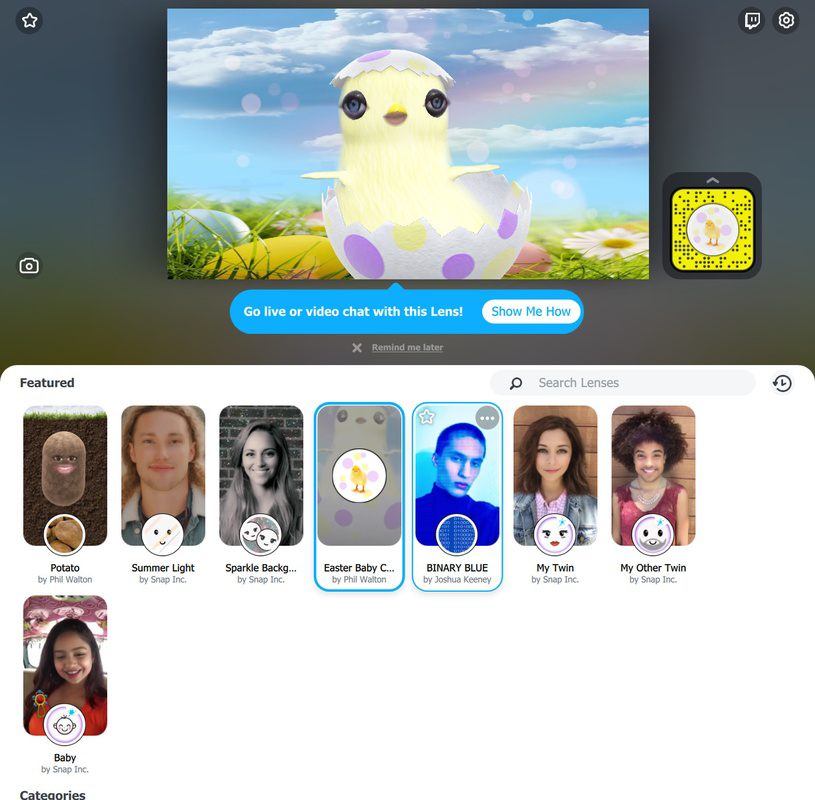
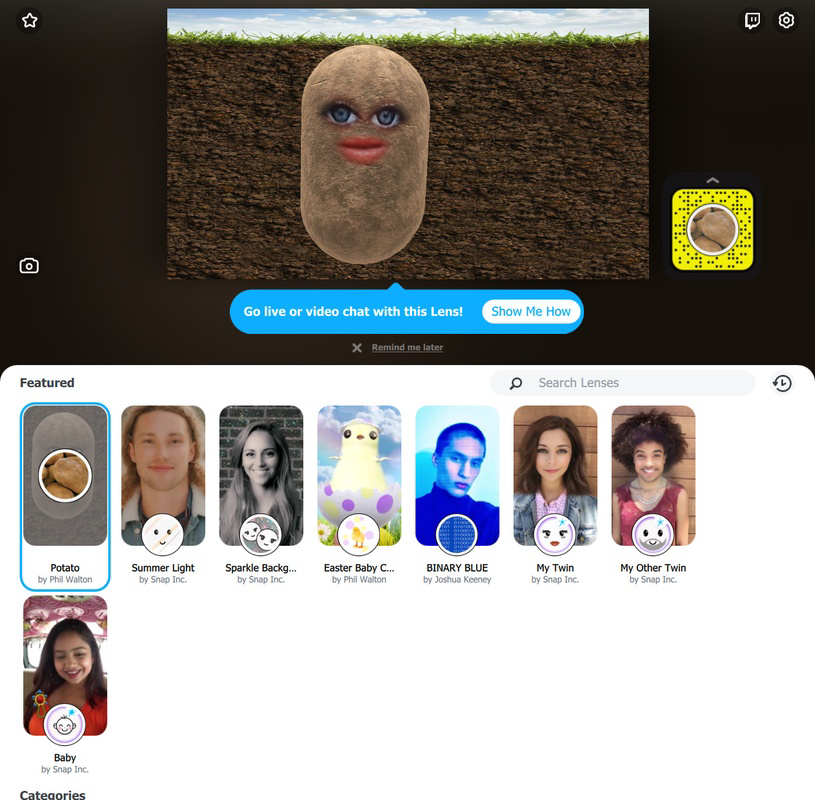
Snap Camera offers a suite of features centered on real-time AR filter application to your PC’s camera feed. The core functionality allows users to browse and apply an extensive library of Snapchat’s most popular filters, including face morphs, animated overlays, and environment-based effects. Filters are organized into intuitive categories, enabling quick discovery and selection. Once applied, the filter appears in real time, responding dynamically to facial movements and expressions. The app supports integration with third-party applications such as Zoom, Skype, Twitch, and YouTube, allowing users to broadcast filtered video without additional software or complex setup. To use the filters, users must launch Snap Camera first, after which compatible platforms automatically detect it as a video source. This streamlines the workflow for streamers and creators who rely on consistent, high-quality visuals. Additional functionality includes a preview mode, where users can test filters before applying them to live streams or calls. The app also supports community-created filters, expanding the range of available effects beyond those developed by Snap Inc. This feature encourages user engagement and innovation within the creative ecosystem. For users seeking to personalize their video content, the ability to switch filters on the fly adds flexibility and spontaneity to online interactions.- Real-time AR filter application for PC camera
- Access to Snapchat’s full library of iconic and community-created filters
- Seamless integration with Zoom, Skype, Twitch, and YouTube
- Preview mode for testing filters before live use
- Dynamic response to facial expressions and movements
- Support for environment-based and face-tracking filters
Interface, UX & Performance
The user interface of Snap Camera is clean, minimal, and focused on ease of use. The main screen displays a live feed from the connected camera, with a sidebar or overlay for browsing filters by category. Navigation is intuitive, with a scrollable list that allows users to quickly locate desired effects. The layout prioritizes visibility and accessibility, ensuring that users can apply filters without distraction. Interaction is straightforward: selecting a filter from the list instantly applies it to the video feed. The interface remains responsive, with minimal lag between filter selection and visual output. Although the developer did not list formal performance metrics, the app functions smoothly across a range of modern desktop systems. Users report consistent frame rates during video calls and streaming sessions, indicating efficient resource management. Stability is maintained during extended use, with no noticeable crashes or freezes observed in standard operation. The app handles multiple filter transitions without significant delay, supporting dynamic content creation workflows. Responsiveness is preserved even when switching between applications, ensuring a reliable experience during live broadcasts. Compatibility with various camera types and resolutions was not explicitly detailed, but the app adapts to standard webcam inputs.Platform Compatibility & Technical Requirements
Snap Camera is available for both Windows and macOS platforms. The current version is 1.0.12, with a file size of 352 MB. The app is offered free of charge, making it accessible to a broad audience. While the developer did not specify minimum OS requirements, the app is designed to run on recent versions of both operating systems. It supports standard webcams and does not require specialized hardware. The developer did not provide detailed technical specifications, such as CPU or RAM requirements, or information about GPU acceleration. However, the app operates efficiently on mid-to-high-end desktops and laptops. Compatibility with older systems was not confirmed, and users are advised to ensure their device meets general desktop standards for video processing. The absence of specific requirements does not indicate instability but suggests users should verify performance based on their hardware configuration.Pros and Cons
- Free to download and use with no in-app purchases
- Seamless integration with major video platforms like Zoom, Twitch, and YouTube
- Access to a wide variety of Snapchat’s most popular and community-created filters
- Real-time filter application with responsive tracking
- Simple, intuitive interface ideal for casual and professional users
- Enhances video calls and streams with creative, fun effects
- Requires launching Snap Camera before using other applications
- No official support for mobile platforms
- Performance may vary on low-end or older desktop systems
- Developer did not provide detailed system requirements
- Filter updates depend on Snapchat’s release cycle
- Does not support custom filter creation within the app
FAQ
Is Snap Camera available for Android or iOS?
Snap Camera is designed exclusively for desktop use and is not available on mobile platforms.Can I use Snap Camera with Twitch and YouTube?
Yes, Snap Camera integrates directly with Twitch, YouTube, and other streaming platforms that support custom video sources.Do I need to pay to use Snap Camera?
No, Snap Camera is completely free to download and use.What permissions does Snap Camera require?
The app requires access to your camera and microphone to function properly.How do I update Snap Camera?
Updates are automatically delivered through the official download page or installer when a new version is released.Final Thoughts
Snap Camera delivers a powerful, accessible way to bring Snapchat’s creative filter experience into desktop environments. Its seamless integration with popular platforms, combined with a vast library of fun and expressive AR effects, makes it a standout tool for content creators and casual users alike. The app’s intuitive design and real-time responsiveness ensure a smooth experience, while its free model lowers the barrier to entry for creative expression. Whether you're enhancing a family video call, live-streaming on Twitch, or recording YouTube content, Snap Camera adds a unique layer of entertainment and personalization. Its value lies in bridging mobile AR innovation with desktop usability—something few tools offer. For anyone looking to elevate their online interactions with dynamic visuals, this app is a must-have. Download Snap Camera nowGuides & Tutorials
How to install Snap Camera
- Click the Download button above.
- Once redirected, accept the terms and click Install.
- Wait for the Snap Camera download to finish on your device.
How to use Snap Camera
This software is primarily used for its core features described above. Open the app after installation to explore its capabilities.
User Reviews
No reviews yet. Be the first to share your experience.
You may also like
more
Que no te pillen¡
About !Que no te pillen¡Reviewed by Jason A. BilbreyShow MoreShow Less

3D Combat Zone
About 3D Combat ZoneOriginally released in 1983, 3D Combat Zone immerses players...

666: El día del portal
About 666: El día del portalOn June 6, 2006, Agent P. Stone uncovers a sinister...

80 in 1 Best Flash games
About 80 in 1 Best Flash games 80 in 1 Best Flash games is a collection of 80 fl...

ABYSS SEEKERーーWhat Do You See Deep in The Abyss
About ABYSS SEEKERーーWhat Do You See Deep in The AbyssIn ABYSS SEEKER, players...

ACA NEOGEO THE KING OF FIGHTERS 2002 for Windows
About ACA NEOGEO THE KING OF FIGHTERS 2002 for WindowsTHE KING OF FIGHTERS 2002,...